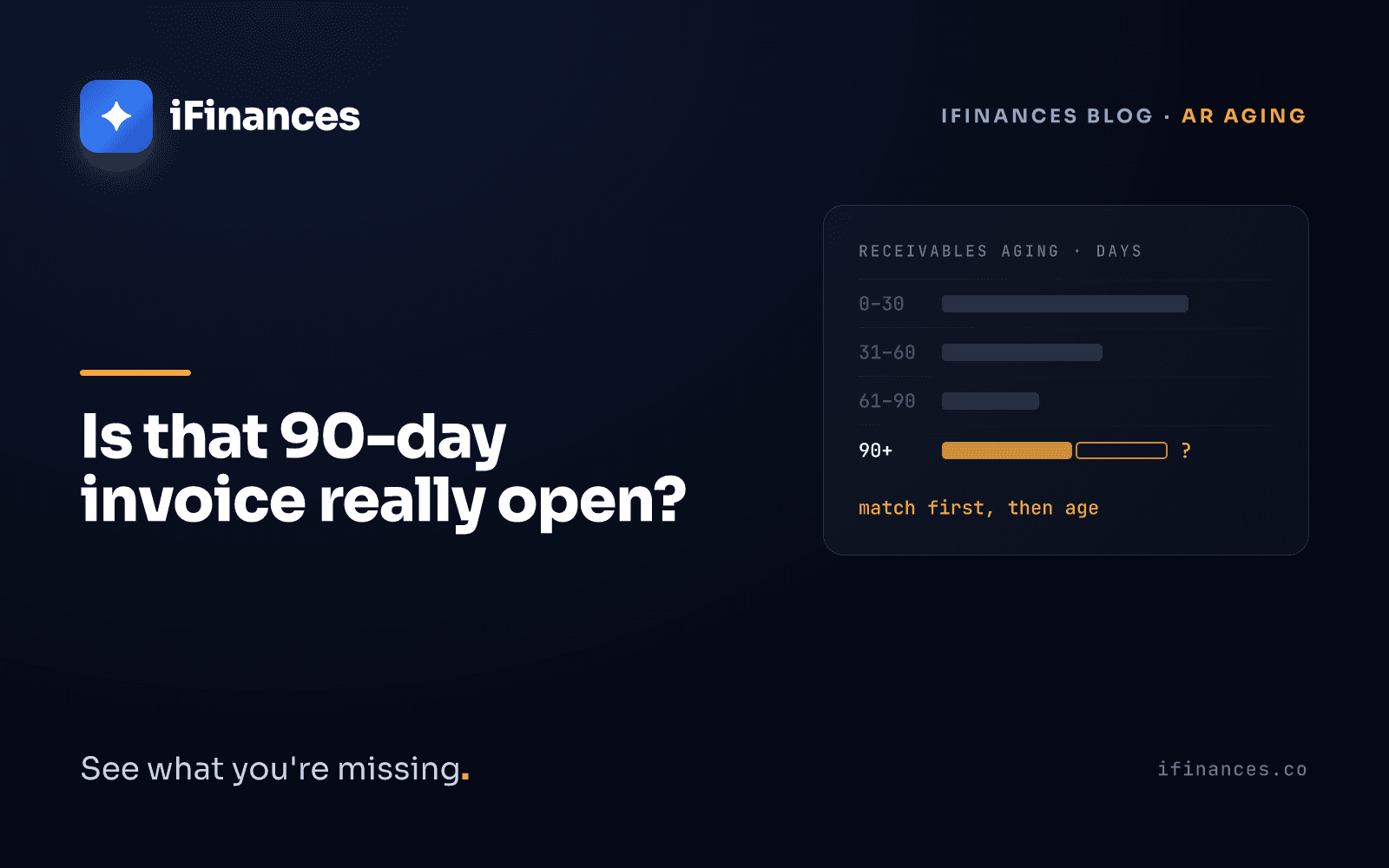
A collections clerk calls a customer about an invoice sitting in the over-90-days bucket. The customer is puzzled: "We paid that months ago." They did. The payment arrived, but it was applied to a different invoice, or to no invoice at all, and has been sitting on the account ever since. The report did its arithmetic correctly. The list it was reading was wrong.
The short answer first. An accounts receivable aging report sorts open receivables into day ranges as of a fixed cut-off date, most commonly 0-30, 31-60, 61-90 and over 90 days. To build one, you fix the cut-off date, pull the open item list, decide whether age runs from the due date or the invoice date, place each item in a bucket, total by customer and bucket, and tie the total to the receivables balance in the general ledger on the same date, which in Türkiye means account 120.
The formulas are the easy part. An aging report is not a calculation; it is a photograph of your open item list, and if the list is wrong, so is the photograph. This guide covers the steps, the Excel logic and where the report sits in the ERP systems common in Türkiye. Mostly, though, it is about the postings that quietly distort the buckets, and about when the report can actually be trusted.
Step by step: how to prepare an AR aging report
The report is built on open items: invoices that have not yet been cleared by a receipt, a credit note or an offset. The logic of receivables aging is the same in every system; what makes the difference is the order and discipline of the steps.
1. Fix the cut-off date. Usually month end or period end. The ledger balance you compare against must be taken on the same date; two reports run on different dates produce a difference even when nothing is wrong.
2. Pull the open item list. Every line needs the customer, invoice number, invoice date, due date, invoice amount, the receipts and credit notes applied to that invoice, and the remaining amount. A balance-level summary is not enough; you need lines. For how to get the data out of your system, see our guide to exporting customer statements from SAP, Logo, Mikro and Netsis.
3. Choose the date that age runs from. Due date or invoice date? The choice changes the question the report answers; the next section covers it in detail.
4. Calculate the days and the bucket. Subtract the chosen date from the cut-off date and place the result in a bucket. In a due-date report, that number is how many days each overdue receivable is past due; add a separate bucket for items that are not yet due.
5. Total by customer and bucket. Collection priorities come out of this table.
6. Tie the total to the ledger. In Türkiye that means account 120 (Alıcılar, customers), part of the trade receivables group, in the trial balance. If it does not tie, explain the difference before you trust the report.
7. Check the oldest bucket line by line. Before anyone picks up the phone, they should know the invoice really is open.
What an aging report is for
- It sets the order in which the collections team calls customers.
- It gives a basis for reviewing payment terms and credit limits customer by customer.
- At period end, it flags items that are candidates for a formal reminder, protest or enforcement.
- It makes the timing of expected receipts visible.
In industries with long payment terms, the 90+ bucket can be split into 91-180, 181-365 and over 365 days; what matters is that the boundaries stay the same from period to period.
Due date or invoice date?
The two dates answer two different questions. Aging by due date measures lateness: how many days is the customer behind the date they agreed to? Aging by invoice date measures elapsed time since the sale: how long has this receivable been on the balance sheet?
The same invoice lands in different buckets in the two reports. The figures here are illustrative: take an invoice with 60-day terms that is 75 days old at the cut-off. By invoice date it sits in 61-90. By due date it is only 15 days late and appears in 1-30. Due date tends to be more useful for collection priorities, invoice date for seeing the financing cost of your credit terms. What matters is that everyone reading the report knows which one they are looking at.
Some ERP systems expose this choice as a report parameter. The SAP Business One help describes an "Age By" field on the customer receivables aging report that calculates age from the due date, posting date or document date. In Logo GO 3 documentation, a similar date choice appears on the clearing side instead: a parameter decides whether FIFO clearing orders items by due date or by transaction date. That governs which invoice is cleared first, not the date the report counts age from.
Invoices with an empty due date are a problem of their own. As a legal reference point, Article 1530 of the Turkish Commercial Code provides that in the supply of goods and services between businesses, where the contract sets no payment date or term, the debtor is, as a rule, in default without notice at the end of thirty days after receiving the invoice. Where the receipt date is uncertain or the invoice arrives before the goods or services, the thirty days run from delivery; where an acceptance or review procedure applies, they generally run from the date that procedure takes place. That is a default rule, not an aging rule; but it is a sensible starting point for writing down which assumption you use when you fill in missing due dates. Ask your legal adviser how it applies to your contracts.
Building the aging report in Excel or your ERP
The report is either built by hand in Excel or taken from a standard ERP report. Either way, the result depends on the open item data behind it.
How to build an AR aging report in Excel
Assume these columns: A customer, B invoice number, C invoice date, D due date, E invoice amount, F receipts and credit notes applied to this invoice. Put the cut-off date in a single cell, say L1. (In Turkish-locale Excel the same functions are called EĞER and ÇOKETOPLA, and arguments are separated by semicolons.)
- Open amount (G2):
=E2-F2 - Days (H2):
=IF(D2="","",$L$1-D2) - Bucket (I2):
=IF(D2="","No due date",IF(H2<=0,"Not yet due",IF(H2<=30,"1-30",IF(H2<=60,"31-60",IF(H2<=90,"61-90","90+"))))) - Total by customer and bucket:
=SUMIFS(G:G,A:A,"Sample Customer",I:I,"61-90")
The first test in each formula catches blank due dates: Excel treats a blank date as zero, so without it the item silently lands in "90+". If the "No due date" bucket has entries, apply the written assumption described above.
Avoid TODAY() for the day count: it changes every day, so the same file shows different buckets the next morning and the comparison with the ledger loses its meaning. A fixed cut-off cell makes the report reproducible.
The real breaking point is not the formulas but column F. Excel has no idea which receipt cleared which invoice; that information either comes from the clearing records in your ERP or is typed in by hand. If column F is wrong, every formula works perfectly and produces the wrong answer. We covered where matching in spreadsheets breaks down in our piece on VLOOKUP.
Where to find the aging report in Logo, Netsis, Mikro and SAP Business One
Report and menu names vary by product and version. The names below are those used in vendor documentation; confirm them against the help pages for your own version.
- SAP Business One: according to the 9.2 help, the Customer Receivables Aging report opens from Financials → Financial Reports → Accounting → Aging; with a day interval, the default ranges are 30, 60, 90 and 120.
- Logo: Logo GO 3 documentation describes a Borç Takip (debt tracking) window with close, multiple close, FIFO close and automatic close options, and a Borç Yaşlandırma Raporu (debt aging report).
- Netsis: Logo Netsis 3 documentation includes a report called "Tarih Aralı Yaşlandırma İcmali", a date-range aging summary.
- Mikro: Mikro's support documentation refers to a "Cari Hesap Bakiye Yaşlandırma Raporu", a current account balance aging report.
The report either reads the clearing records in the system or applies FIFO itself at run time. According to Logo GO 3 documentation, a group of reports that includes the debt aging report asks for a clearing method: "close the uncleared" closes the items still open in debt tracking for the report, while "close all" ignores the clearings in debt tracking and closes every transaction by FIFO. Either way, the output depends on which invoice a receipt is applied to, and on which option was ticked.
An aging report is only as accurate as the open item list
The postings that distort the buckets rarely look like errors. The total is right; the distribution is wrong. These are the four most common.
Partial payments. The customer pays part of an invoice. If the receipt is applied to the invoice as a partial clearing, the remainder stays in the right bucket; Logo GO 3 documentation describes a partially cleared transaction being split into a closed part and an open part. If it is not applied, a report that reads the clearing records keeps the whole invoice in the old bucket and the receipt sits on the account as an orphan credit. We explained why partial payments make matching hard in our article on FIFO and partial payments.
FIFO clearing the wrong invoice. The customer holds back a disputed January invoice and pays the March one. Automatic FIFO clearing applies the receipt to the oldest invoice, January. Total receivables are correct, but the disputed invoice now shows as paid and the paid one shows as open. The oldest bucket looks cleaner than it is and the real issue disappears from view.
Unapplied receipts and advances. SAP Business One help states that figures in brackets on the aging report are payments received from customers but not yet applied: even the ERP shows the cash separately while the invoice stays in its bucket. Under the Turkish uniform chart of accounts, advances received against orders belong in account 340. If an advance is instead posted as a credit on the customer account and never offset against the invoice issued later, the invoice keeps aging and the advance sits there as an orphan receipt.
Credit notes not linked to the original invoice. The credit note sits as a separate line while the original invoice keeps aging at its full amount. The customer balance is right; the buckets are wrong twice over.
When these postings pile up, the result has a name: a debt that has been paid but not matched to its invoice, and so still shows as open. We looked at how it forms and how it unwinds in our article on phantom debt. The lesson from all four fits in one line: reconcile before you age. Pull a collections list from the oldest bucket without comparing it line by line against the customer's own statement, and expect to hear "we paid that".
Why the accounts receivable aging report must tie to the ledger, and why that is not enough
The customer-level aging total is the detail behind the receivables control account, account 120 in Türkiye, on the same cut-off date; if they disagree, the report is missing items or carrying extra ones. AccountingTools' guide to reconciling accounts receivable names a journal entry that bypassed the subsidiary ledger as the most common cause, and also lists reports run on different dates and invoices posted to the wrong account. Under the Turkish chart of accounts, add these checks:
- Are there vouchers posted straight to account 120 with no customer account behind them?
- Are notes receivable (account 121) included in the report or not?
- Do items transferred to account 128 (Doubtful Trade Receivables) still appear in the report? Receivables moved to that account are taken out of ordinary receivables.
- Are foreign-currency customers shown on the same basis in the report and in the trial balance?
- How does the report handle customers with credit balances? Credit balances in receivables are often advances, credit notes or receipts that landed on the wrong account.
The total has to tie, but tying is not enough. The totals can agree to the cent while the buckets are still wrong, exactly as in the FIFO example. It is the aging-report version of the balance matches, the lines don't.
Is a receivable over 90 days a doubtful receivable in Türkiye?
A common misconception is that a receivable past a certain number of days automatically becomes doubtful. Article 323 of the Turkish Tax Procedure Law does not count days. Provided the receivable relates to earning and maintaining commercial or agricultural income, it treats two kinds of receivable as doubtful: those in litigation or enforcement proceedings, and those left unpaid despite a protest or more than one written demand that do not exceed a statutory amount. Under Tax Procedure Law General Communiqué No. 588, published in the Official Gazette of 31 December 2025 (No. 33124, 5th repeated issue), that amount is TRY 25,000 from 1 January 2026.
The article says a provision may be set aside for these receivables; for secured receivables, it is limited to the unsecured portion. In the books, doubtful receivables are moved to account 128 and the provision is tracked in account 129.
The aging report's job here is not to decide but to flag candidates: it ranks which items should be prepared for a formal reminder, protest or enforcement. For companies reporting under IFRS as adopted in Türkiye (TFRS), expected credit losses can be calculated with a provision matrix whose rates may be set by days past due (TFRS 9, paragraph B5.5.35); that is a separate regime from the tax treatment of doubtful receivables. Take the tax provision decision to your tax adviser, and the TFRS 9 impairment estimate to your finance team and auditor under your accounting policy; iFinances does not provide tax or accounting-standards advice, and it does not issue audit opinions.
Reconcile before you age: where iFinances fits
iFinances is not accounting software. It is a reconciliation and financial intelligence layer that sits on top of your ERP. It does not write to your books, does not create entries and never clears a line on its own. The aging report belongs in your ERP; what iFinances contributes is showing, with a written reason, which receipts in the open item list behind that report were applied to the wrong invoice or to none. Your team makes the correcting entry in the ERP.
In payment-to-invoice matching, iFinances suggests which receipt belongs to which invoice, with a written reason for every match: it shows how much of an invoice a partial payment covers and which invoices a bulk transfer relates to, and uses the Central Bank of the Republic of Türkiye's official rate for foreign-currency items. The matching engine uses both FIFO and invoice-specific clearing; whether a FIFO result points at the right invoice becomes visible when it is compared line by line with the customer's own statement. Fuzzy matching produces suggestions only; the decision stays with a person, and the clearing entry stays with your team in the ERP.
Customers can upload their own statement through a secure link, so the items in the oldest bucket are checked line by line. Ready-made connections cover 14 systems, including Logo and Netsis, through either file upload or a direct connection. More detail is on our payment matching page.
If you want to see, with your own data, whether the invoices in your over-90-days bucket are really open, get in touch. For why a clearing entry is not the same as reconciliation, read our piece on open item clearing.
Frequently Asked Questions
How do you prepare an accounts receivable aging report?
Fix a cut-off date and pull the open item list with invoice date, due date, amount and the receipts applied to each invoice. Decide whether age runs from the due date or the invoice date, place each item in a bucket such as 0-30, 31-60, 61-90 and over 90 days, and total by customer. Finally, tie the total to the ledger on the same date and check the oldest bucket line by line.
Should aging be based on the invoice date or the due date?
They answer different questions: the due date measures how late a payment is, the invoice date measures how long the receivable has existed. Some ERP systems, such as SAP Business One, offer the choice as a report parameter, so the basis should be printed on the report itself. For invoices with no due date in Türkiye, Article 1530 of the Turkish Commercial Code offers a reference point: as a rule, where a B2B contract sets no payment term, the debtor is in default thirty days after receiving the invoice. That is a default rule, not an aging rule; check how it applies to your contracts with your legal adviser.
Is a receivable over 90 days automatically a doubtful receivable in Türkiye?
No. Article 323 of the Turkish Tax Procedure Law contains no day count. Provided it relates to commercial or agricultural income, a receivable qualifies either when it is in litigation or enforcement proceedings, or when it remains unpaid despite a protest or more than one written demand and does not exceed a statutory amount, which is TRY 25,000 for 2026. An aging report only shows candidates for collection action; take the tax provision decision to your tax adviser.
Why doesn't my AR aging report match the general ledger?
The usual causes are journal entries posted straight to the receivables account without going through a customer account, a report and a trial balance run on different dates, notes receivable or doubtful receivables included on one side and not the other, and customers with credit balances. Even when the totals agree, the buckets can be wrong: a FIFO clearing against the wrong invoice changes the distribution without changing the total.
What Excel formulas do I need for an aging report?
Subtract the due date or invoice date from a fixed cut-off date cell, for example =$L$1-D2; if due dates can be blank, write it as =IF(D2="","",$L$1-D2), otherwise blank items silently land in the 90+ bucket. Use nested IF to assign the bucket and SUMIFS to total by customer and bucket. Avoid TODAY() because it changes every day and makes the report impossible to reproduce; the accuracy of the open amount column matters more than any formula.
✦ iFinances — See what you're missing.