In Türkiye, the finance-software search usually begins with a single question: can the accounting package we already use handle reconciliation, or do we need a separate tool? Type that question into a search engine and almost every answer you get is a software vendor's own blog — and, naturally, they all say the same thing: "Yes, with ours." What is missing is what that yes actually covers, and more importantly, what it does not.
The honest answer is that it depends on what you mean by "reconciliation." If you mean sending your period-end balance to a counterparty and collecting a confirmation, then yes: plenty of pre-accounting tools and ERP modules do that today. But if you mean comparing both parties' transactions line by line and finding which invoice or which payment produced the difference, the answer changes — and that second job is where the real work of reconciliation lives.
This article builds a capability map based not on marketing copy but on the vendors' own official guides and product pages: what pre-accounting tools do, where ERP and e-reconciliation modules stop, which jobs none of them take on, and where your own needs sit on a four-category map.
"Doing reconciliation" is really two different jobs
Everyday usage stuffs two very different tasks into one word.
Balance notification is the communication side: you send your current-account balance to the counterparty by letter, email, or SMS, and they reply "agreed" or "not agreed." The difficulty here is volume — writing to hundreds of counterparties one by one is exhausting, which is why this layer was the first to get automated.
Line-level matching is the analysis side: your ledger and the counterparty's statement are compared row by row to surface which invoice is missing from the other ledger, which payment was booked at a different amount, which credit note or FX difference sits on only one side. The balance confirmation is really the outcome of that process; when the reply says "not agreed," the actual work begins. We explored this split in depth in the difference between letter-sending tools and matching engines.
With that distinction in mind, let's look at the tools on the market.
Pre-accounting tools: reconciliation as statement sharing
"Pre-accounting" (ön muhasebe) is a distinctly Turkish software category: lightweight cloud tools for invoicing, income-expense tracking, and current-account management, sitting below full statutory accounting. They do those jobs well. When it comes to reconciliation, what they offer is essentially statement sharing.
Paraşüt's official user guide describes current-account reconciliation as emailing the account statement as a PDF attachment or a "customer screen" link; the page describes no automatic matching function, and the process runs on correspondence with the counterparty. We walked through the workflow and its limits in Reconciliation with Paraşüt.
The picture is similar at Logo İşbaşı: the product's reconciliation guide displays a sample form text on the page but offers no downloadable template file.
It would be unfair to call this a flaw: these are pre-accounting tools, and row-level reconciliation analysis was never their category's promise. The problem is users starting from the assumption that "it has a current-accounts module, so it must do reconciliation."
ERP and e-reconciliation modules: notification automation
As scale grows, ERP ecosystems take over — and there, reconciliation moves into separate modules or even separate products.
- Logo: Logo GO 3 can send reconciliation letters by email, while the standalone eLogo e-Mutabakat product runs Ba, Bs, and current-account balance confirmations electronically over SMS, email, and fax.
- Mikro: Mikro Yazılım bundles e-Mutabakat into its commercial packages at no extra cost; it covers Ba/Bs, current-account reconciliation, and bank statement comparison, and the counterparty does not need to be a Mikro user.
- DİA: DİA E-Mutabakat runs on a credit (kontör) system, integrates with the current-accounts module, and covers five reconciliation types: current balance, foreign-currency balance, due-date balance, Form BA, and Form BS, with bulk-send filters such as skipping zero-balance accounts or targeting a balance range.
A quick currency note for readers outside the loop: the Form Ba-Bs still visible in these module screens refers to the monthly purchase and sales declaration forms that GİB (Gelir İdaresi Başkanlığı, Türkiye's Revenue Administration) used to require. That obligation is gone — Ba-Bs reporting was abolished for periods from September 2024 onward by Tax Procedure Law General Communiqué No. 565.
The shared paradigm of all these tools fits in one sentence: they send a balance notification and collect replies. They genuinely automate the mailing side well — dispatching letters to hundreds of counterparties takes minutes. But what gets sent is a balance, not the rows that produced it.
The real limits: five jobs these products' own pages do not describe
The other side of the capability map is the set of jobs the products reviewed above do not describe on their own published pages. This is not a claim about the whole category: some tools — Sovos and Akıllı Mutabakat among them — explicitly advertise statement-comparison capability. What follows are five jobs we could not find described in the pre-accounting and ERP reconciliation modules we reviewed.
1. Line-level matching against counterparty data. Taking the other firm's statement and comparing it row by row with your own ledger, finding the same invoice in both lists and linking them, is not what these modules do; after a "not agreed" reply, that work usually lands back in Excel.
2. Root-cause analysis of differences. There is no mechanism that tells you whether the gap between two balances comes from a missing invoice, a duplicate entry, or a payment posted to the wrong account; you know the amount of the difference, not its story.
3. Multi-source cross-checking. Comparing the ledger entry, the bank transaction, and the e-invoice record at the same time — three-way reconciliation — is not described on these modules' own pages.
4. Partial payments and allocation logic. Tracking which invoices a single transfer closed, in what order and for how much (FIFO, partial clearing), is beyond balance-notification tools.
5. Anomaly detection. Nothing scans for patterns like missing invoices, duplicate entries, or unusual amounts during the period; problems surface only when the balances fail to agree at close.
The most instructive evidence comes from the vendors themselves: Logo sells a separate e-reconciliation product rather than embedding reconciliation inside its pre-accounting tool İşbaşı. If accounting software solved this job on its own, the same ecosystem would not need a standalone reconciliation product.
The selection criterion nobody asks about
Tellingly, the industry's own comparison content keeps this gap invisible. Hesapcini's April 2026 "Best Accounting Software" guide compares products on six criteria: cloud versus desktop architecture, e-invoice support, per-user pricing, mobile access, updates and backups, and fit for scale. Reconciliation capability appears in none of the six.
Yet at period-end, it is one of the tasks that consumes the most hours on a finance team. We collected the questions worth asking in 7 critical criteria for choosing reconciliation software, and you can find a current rundown of the tools in the category in our 2026 e-reconciliation software comparison.
Four categories: where are you on the map?
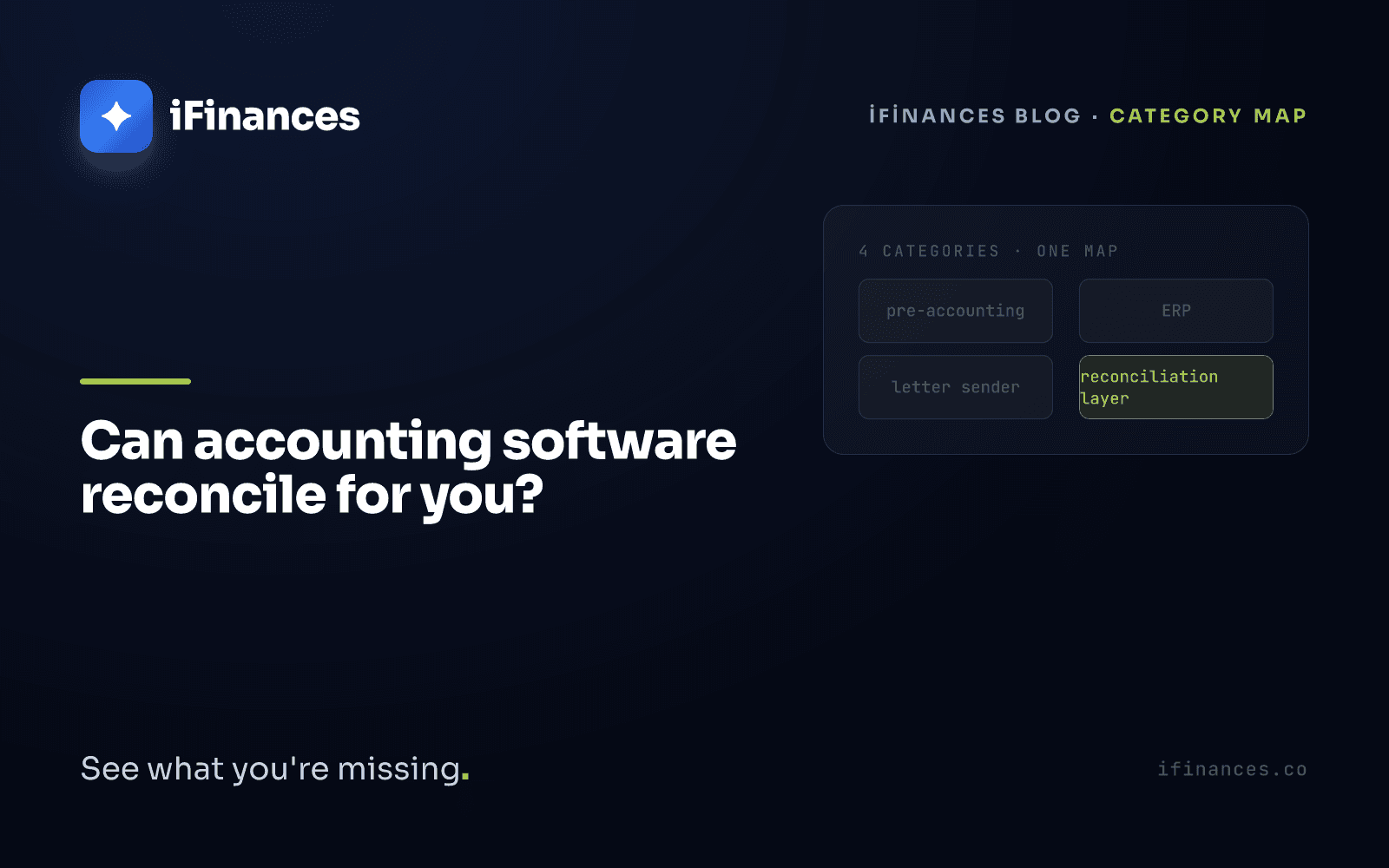
The tools discussed under "accounting software and reconciliation" in Türkiye actually spread across four distinct layers.
1. Pre-accounting tools. Invoicing, income-expense, customer cards. On the reconciliation side, they offer statement sharing. For a small business's daily operations, they are the right tool — and that is exactly what they claim to be.
2. General accounting and ERP. Statutory ledgers, filings, inventory, production. Reconciliation lives either inside as simple letter sending, or in a separate module or product.
3. E-reconciliation sender tools. eLogo, Mikro e-Mutabakat, DİA, and peers: bulk balance notifications, reply tracking, and the Ba/Bs legacy. Pricing is mostly credit- or package-based — we compared the models in our 2026 e-reconciliation pricing analysis.
4. The reconciliation and financial-intelligence layer. Line-level matching, difference analysis, anomaly detection, and multi-source control live here; globally the category is represented by tools like BlackLine, and we reviewed the options available for Turkish books in a separate article. iFinances sits in this fourth layer: it is not accounting software and keeps no ledger. It takes the Excel/CSV statements your existing package produces, along with bank and e-invoice data, matches them row by row, shows the source of each difference with an explainable reason, and generates the reconciliation letter plus its signed-copy archive.
The fourth layer competes with none of the first three — it does not ask you to switch software; it adds on top.
So which one is enough for you?
An honest decision framework: if you have few counterparties, mostly lira-denominated transactions, and low monthly volume, your software's existing module or a sender tool will likely suffice. If your counterparties run into the hundreds, foreign-currency deals and partial payments are in play, or audits and VAT-refund processes demand documentation and traceability, a balance notification alone will not carry you — you need a matching layer that finds the difference.
The short answer to the question: yes, your accounting software can send reconciliation notifications; reconciliation itself — finding and closing the difference — is a separate job. If you would like to see iFinances' matching layer run on the statements your own software produces, get in touch or browse the modules here; and to go deeper into the category split, continue with Does it send letters, or does it actually match?.
Frequently Asked Questions
Can Logo accounting software do reconciliation?
In the Logo ecosystem, reconciliation mostly lives in separate tools: Logo GO 3 can email reconciliation letters, while the standalone eLogo e-Mutabakat product runs Ba, Bs, and current-account balance confirmations over SMS, email, and fax. These are balance-notification automations; line-level matching against counterparty data and difference analysis are outside their scope.
Is Mikro's e-reconciliation free?
Mikro Yazılım bundles e-Mutabakat into its commercial packages at no extra cost, covering Ba/Bs, current-account reconciliation, and bank statement comparison. The counterparty does not need to be a Mikro user. This reflects the official product page as of August 2026; confirm current terms with the vendor.
Is my accounting software enough for reconciliation?
If you have few counterparties, mostly lira-denominated transactions, and low monthly volume, your software's built-in module or an e-reconciliation sender tool is usually enough. Once counterparties run into the hundreds and foreign-currency deals and partial payments enter the picture, a balance notification no longer suffices — you need a line-level matching layer that finds where the difference comes from.
What is the difference between reconciliation software and accounting software?
Accounting software produces records: it issues invoices, keeps the ledger, prepares filings. Reconciliation software verifies records: it compares both parties' data, matches rows, and finds the root cause of a difference. A reconciliation layer like iFinances does not replace your accounting package; it takes the data your package produces and runs verification intelligence on top of it.